8. Put the agents to work
Connect a model provider, give every agent a model, and hand the agents an idea to research — then follow what they built in The Forge.
Forven's six agents are optional co-researchers. Give them an idea and the Strategy Developer writes it up — what it exploits, why, and what would prove it wrong — then builds strategies from it, which the pipeline tests like any other. In Auto mode they also come up with ideas of their own, within a daily budget.
Before you start
An API key from any supported provider — Anthropic, OpenAI, Google Gemini, DeepSeek, OpenRouter and others — or a ChatGPT subscription for OpenAI sign-in, or a local model in LM Studio. About 15 minutes. Model calls cost what your provider charges; Forven adds nothing.
About these screenshots
They show an install before a provider is connected — the state you'll start from. Once you connect one, the warnings disappear and the provider moves to Connected.
Open Agents → Setup → Providers
Click Agents in the sidebar, then the Setup tab and Providers. The yellow box lists every agent pointed at a provider that isn't connected — on a fresh install, all six.
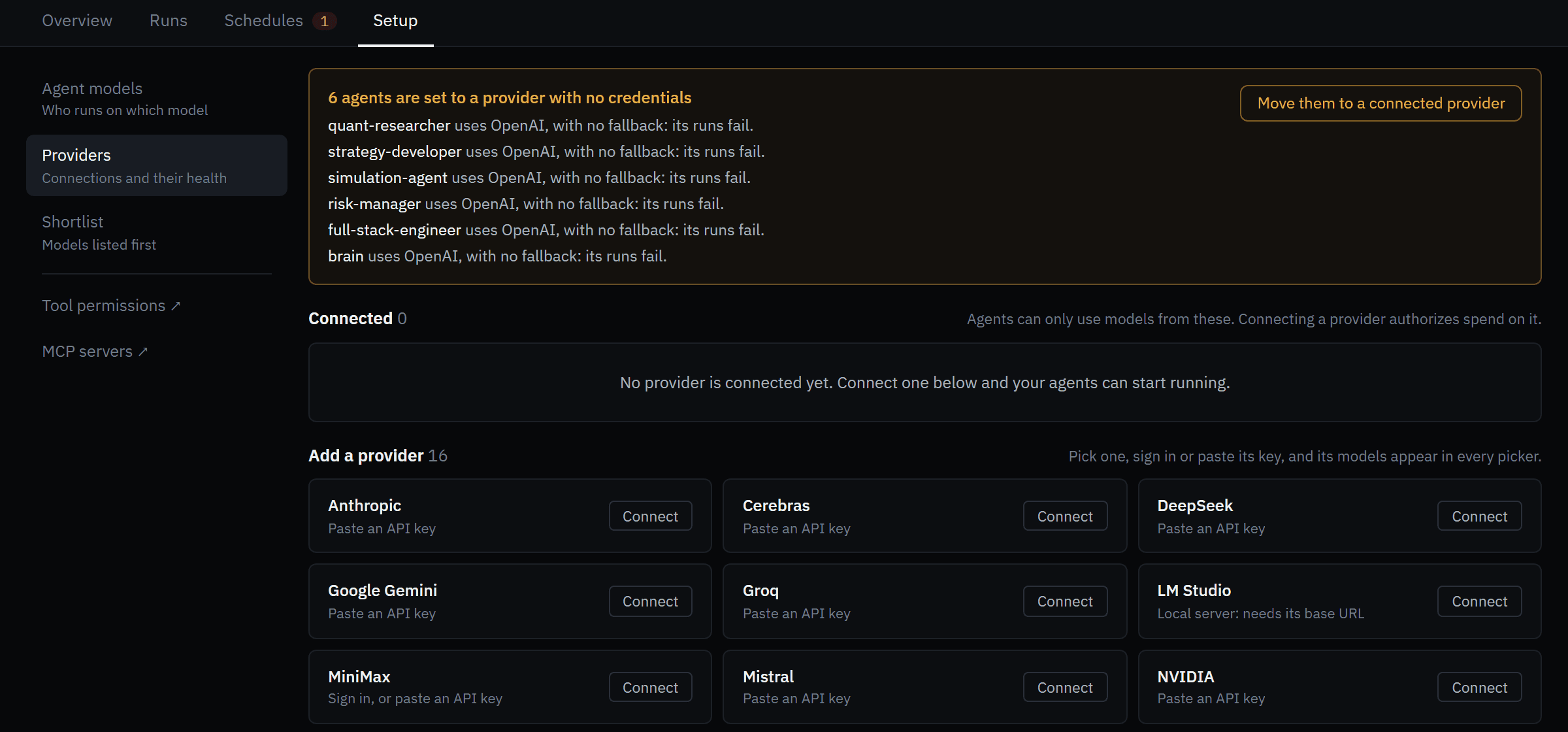 Sixteen providers. Connecting one authorizes spend on it — nothing else can.
Connect a provider
Click Connect on a provider tile and paste your key into API key. Forven checks it with the provider before saving it. For OpenAI you can click Sign in instead to use a ChatGPT subscription; LM Studio asks for your local server's base URL.
The provider moves to Connected, and its models appear in every model picker. If agents still point at another provider, click Move them to a connected provider.
Keys are stored in auth.json in your Forven home folder. They never leave your machine.
Give every agent a model
Open Agent models. The three-step checklist at the top tracks your progress: connect a provider, give every agent a model, and survive a provider outage.
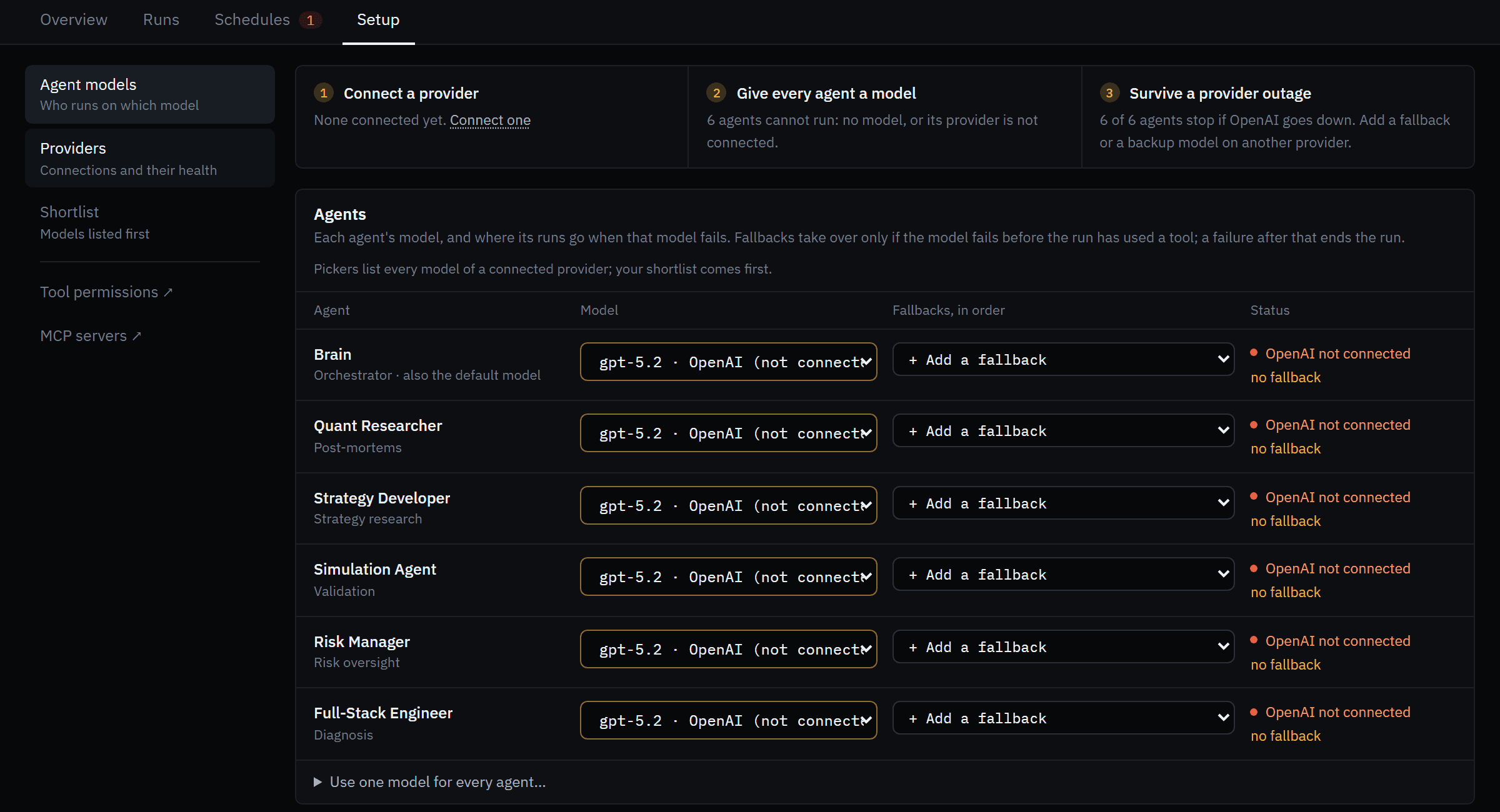 Pick a model per agent, or use one for all. Fallbacks run only if the first model fails before a tool is used.
Pick a model for each agent — or open Use one model for every agent… and click Apply to all. Add a fallback on a second provider if you have one, then click Save.
Submit an idea
Go to The Forge and click + Submit idea. Describe what the market does and why you think it's tradable — or paste a source URL and click Preview. Markets, timeframes and notes are optional hints.
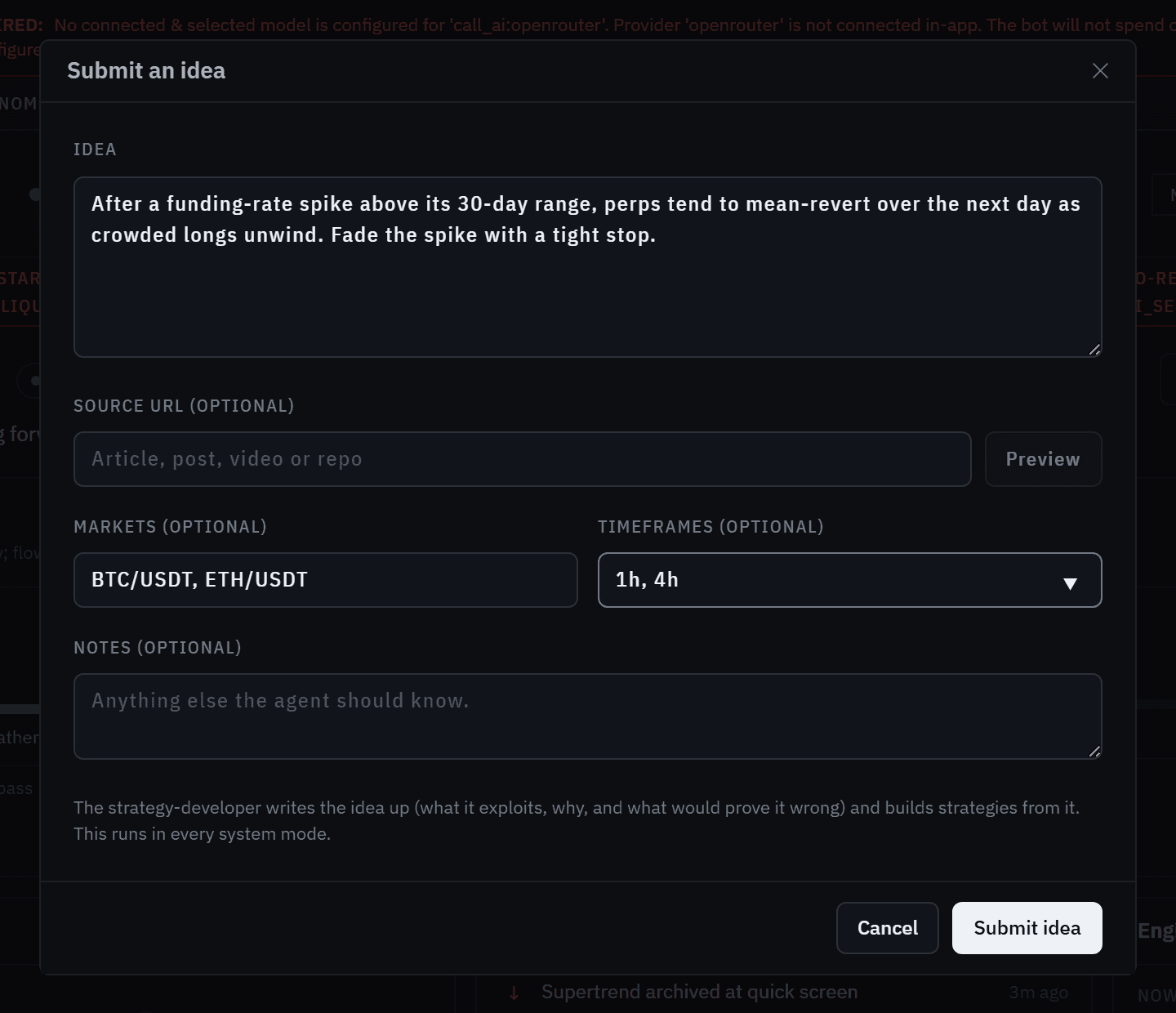 Submitted ideas run in every system mode and don't count against the daily budget.
Click Submit idea. The dialog confirms the run it queued, like Queued as task T12.
Follow the work
- Agents → Runs lists every run with its status. Click one, then Open transcript to read exactly what the agent did — every tool call and its result.
- The Forge shows the new strategies as they're registered, each with an Idea chip linking back to the write-up: thesis, mechanism, and what would disprove it.
- Agents → Overview shows what's running, today's spend, and What they produced — how many strategies were created and how far they got.
From here the pipeline takes over: the strategies are screened and tested exactly like yours.
What agents can and can't do
- They can draft ideas, write and register strategy code (through the same safety scan as yours), run backtests and robustness tests, and write post-mortems on what failed.
- They cannot place, size or close a position. Trades move only through the execution engine, its risk gates and your own controls.
- They never spend on a model you haven't connected and selected.
See Agents for the roster, the Brain for how work is coordinated, and Cost controls for budgets.
Next
7. Set limits & stop buttons
Learn the three controls that decide what Forven may do on its own — the system mode, the risk limits and Emergency Halt — before you ever need them.
9. Connect Claude Code or Cursor
Plug the AI client you already use into Forven over MCP, then let it design, backtest and validate strategies through the same gates — and watch the session live.