3. Build a strategy
Turn an idea into entry and exit rules in the Strategy Creator, read its in-sample and out-of-sample vitals, stress-test it, and save it — no code and no AI key.
The Strategy Creator is where an idea becomes rules the engine can test. You'll load a template, read what the preview tells you, stress-test it, save it to your library and send it to The Forge — the pipeline that decides whether it deserves paper trading.
Before you start
Market data downloaded (Get your first market data). About 15 minutes. No AI key needed.
Open the Strategy Creator
Click Strategy Creator in the sidebar. It never opens blank: the RSI Mean Reversion template is loaded on BTC/USDT 1h, and the preview starts building straight away.
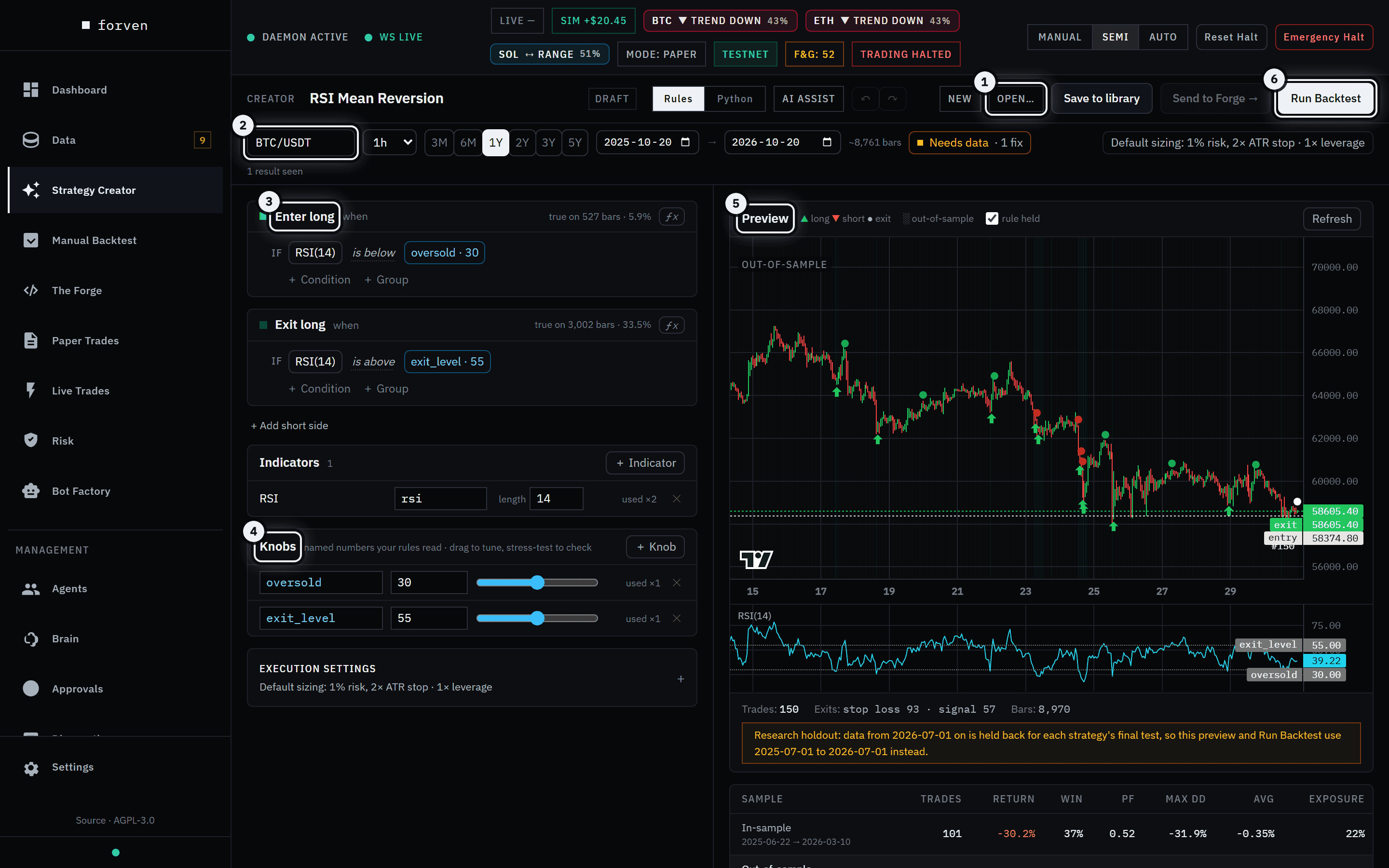 Everything on one screen: rules on the left, the market and its live preview on the right.
- 1Open… — templates, your library and the built-in strategies. New starts a blank canvas.
- 2The market bar: symbol, timeframe, the test window (3M to 5Y) and a **Data ready** chip that checks the series is stored and complete.
- 3The rules. Each side reads as a sentence — *Enter long when RSI(14) is below oversold (30)*. Add a condition, group conditions with ALL/ANY, or + Add short side.
- 4Knobs are the named numbers your rules read. Drag one and the preview re-runs; the stress test nudges every knob to see whether the result survives.
- 5The live preview marks every entry ▲ and exit ● on the chart and shades the **out-of-sample** part of the window.
- 6Run Backtest scores the out-of-sample part with your execution settings.
Load a template
Click Open…, then the Templates tab. Eight templates cover the classic families — mean reversion, trend, momentum, breakouts and a funding-rate fade. Prebuilt lists the 73 built-in strategies; My Strategies is your library.
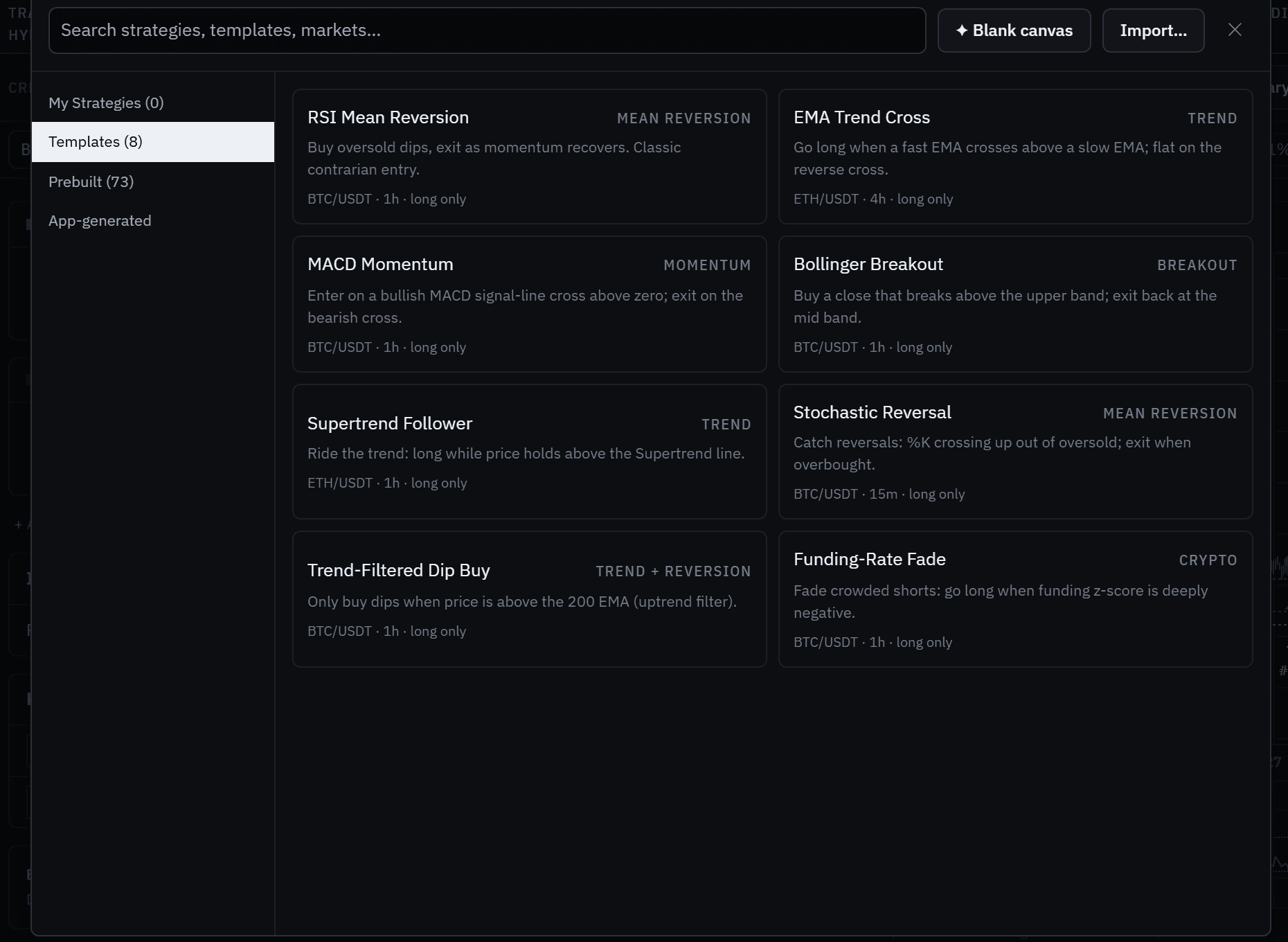 Each card shows its market, timeframe and direction.
Click EMA Trend Cross: long when a 20-period EMA crosses above a 50-period EMA, flat on the reverse cross, on ETH/USDT 4h. Then click 3Y in the market bar to test on three years.
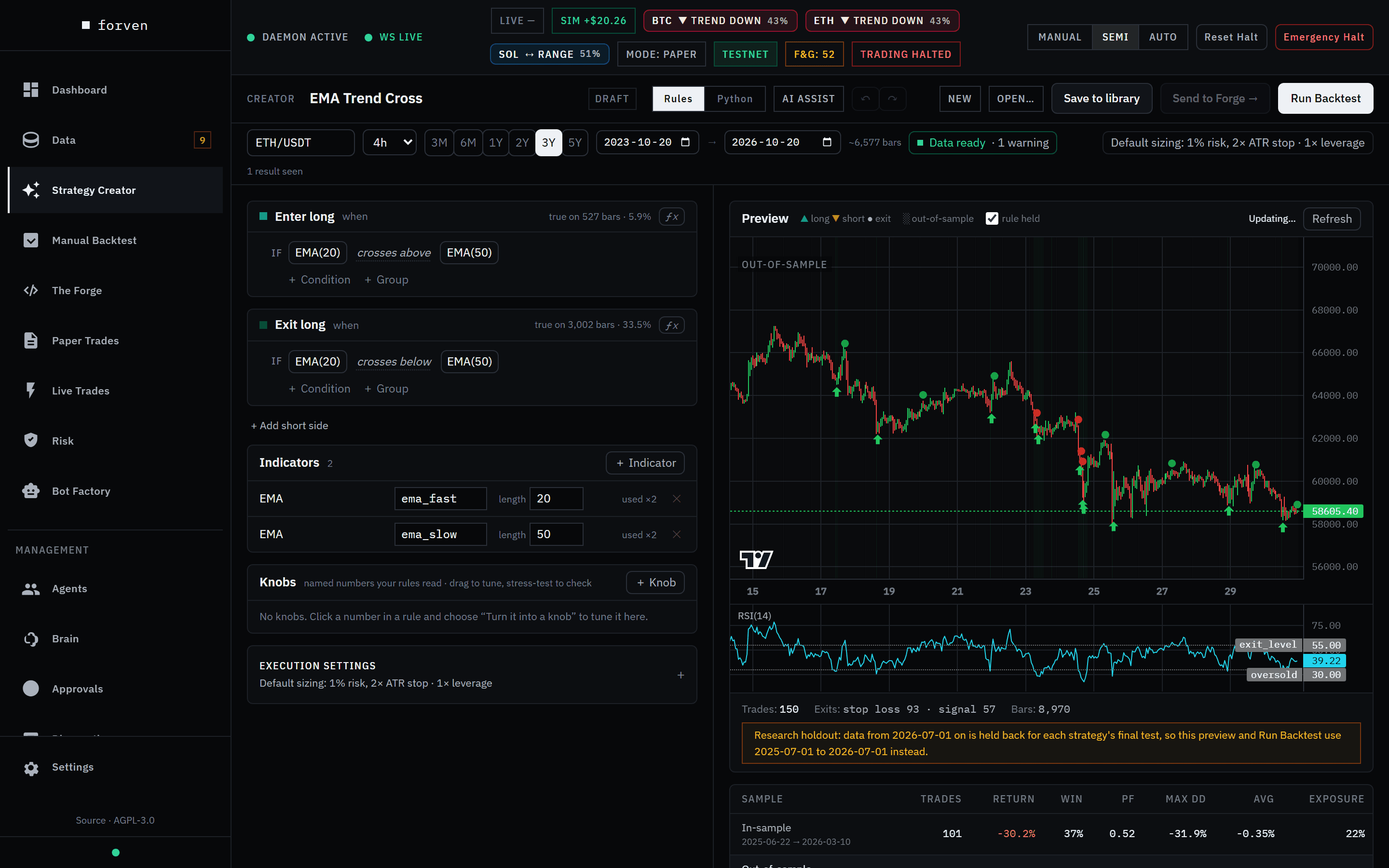 Indicators feed the rules; their lengths are editable inline.
Read the vitals honestly
Scroll the right pane to the vitals. They split the window in two: in-sample is where the rule was shaped, out-of-sample is what Run Backtest scores. Below them, the deflated Sharpe estimates the chance the out-of-sample edge is real — counting every variant you've looked at this session — and plain-language warnings flag the usual traps.
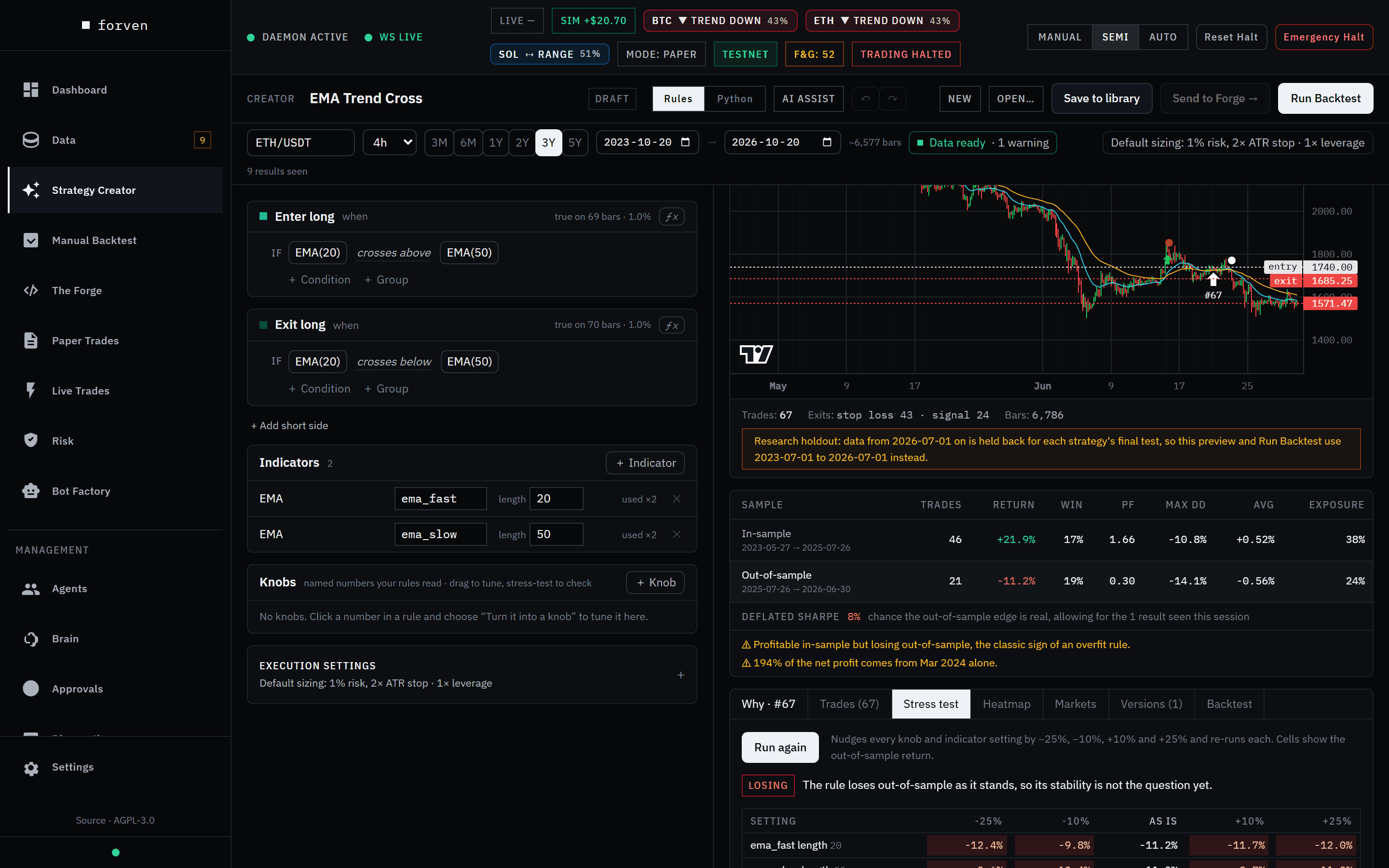 This one made money in-sample and lost it out-of-sample — the classic sign of an overfit rule.
Here the template made +21.9% in-sample and lost −11.2% out-of-sample on 21 trades. The warnings say exactly that: profitable in-sample but losing out-of-sample, and most of the profit coming from a single month.
Stress-test the knobs
Open the Stress test tab and click Run stress test. It nudges every knob and indicator setting by −25%, −10%, +10% and +25% and re-runs each. Green cells keep at least half the out-of-sample result; red ones lose money.
In the screenshot above every nudge still loses, so this rule isn't one lucky setting away from working. When a nudge does turn a loss into a gain on one window, chasing it is curve-fitting. The gauntlet re-tests on folds and data the tweak never saw — which is the point of the next guides.
Save it to your library
Click Save to library (or press Ctrl+S), name it, and click Save as new. The status chip changes from Draft to Saved · v1.
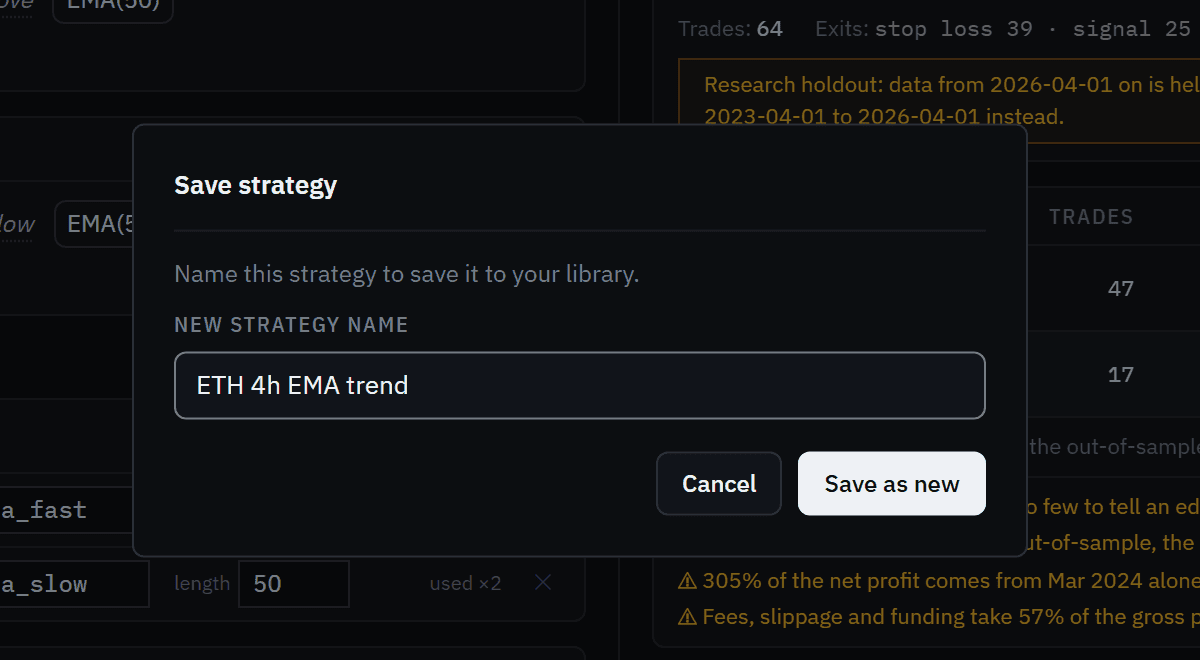 Saving versions the strategy. The Versions tab can restore any earlier one.
Run the backtest
Click Run Backtest (Ctrl+Enter). The Backtest tab shows the result: return, Sharpe, drawdown, win rate and profit factor, and the equity curve against buy-and-hold. Full report → opens the strategy's own page.
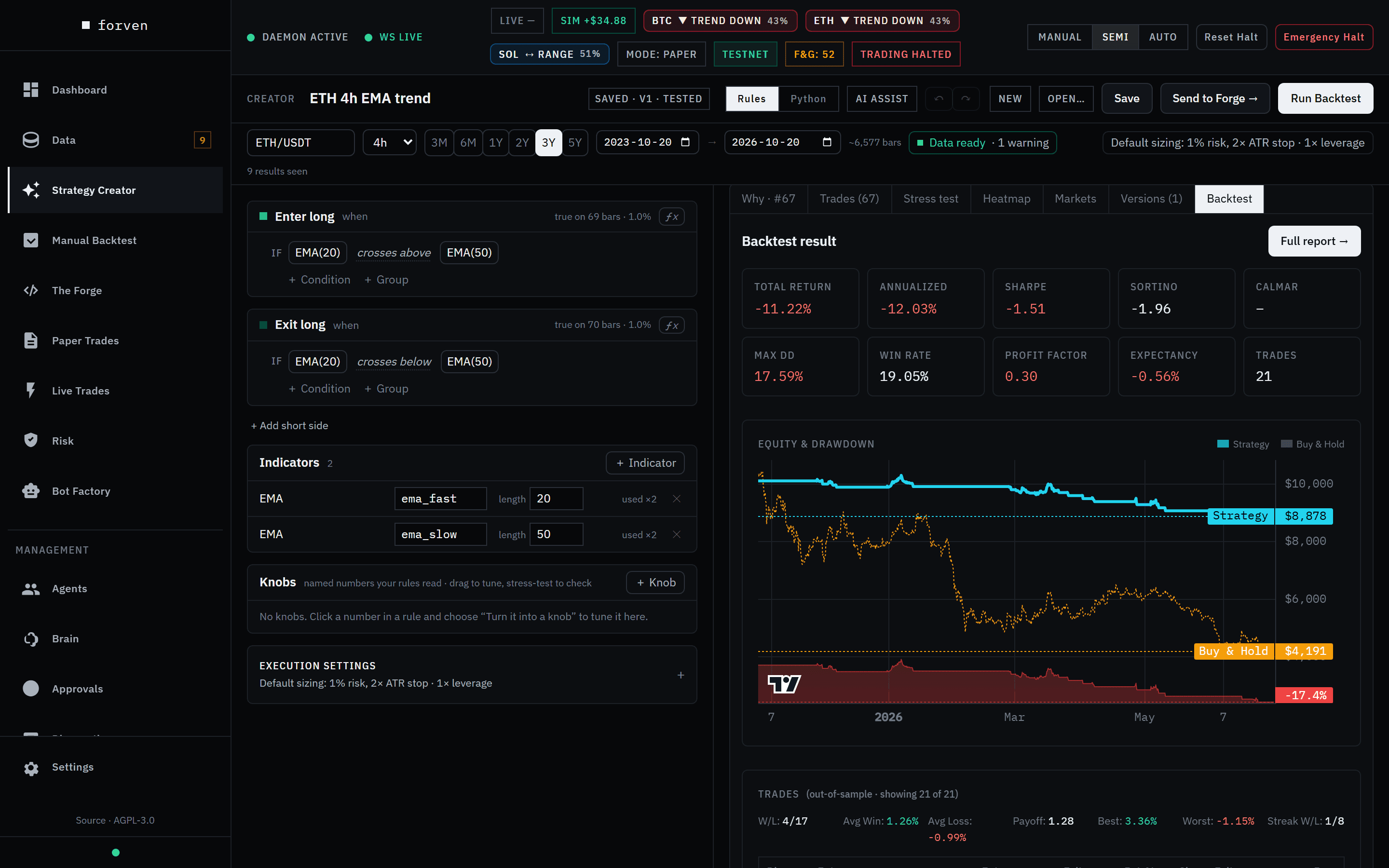 A losing result is a useful result. Most ideas look like this.
Send it to The Forge
Click Send to Forge →. Forven creates a strategy container at the Quick screen stage, gives it an ID like S00001, and the button changes to Open in Forge →. The Forge decides from here whether it earns more testing.
You'd normally only send a strategy you believe in — this one is going anyway, so you can watch the pipeline reject it.
Want to write Python instead?
Switch the editor to Python, write a class that exports STRATEGY_CLASS and TYPE_NAME, and click Validate & load — it runs a security scan and a sandboxed load first. See Strategy authoring. With an AI provider connected, AI assist drafts rules from a plain-English description or proposes a change as a diff you accept.
What you have now
A strategy saved in your library and sitting in The Forge's quick screen — and a feel for the one habit that matters: judge the out-of-sample numbers, never the in-sample ones.
Next
2. Get your first market data
Download BTC, ETH and SOL history with the Starter preset, watch the download jobs, and check the series landed complete and fresh.
4. Run and read a backtest
Backtest a built-in strategy on any market with Manual Backtest, then read the result the way the gauntlet will — out-of-sample first.