2. Get your first market data
Download BTC, ETH and SOL history with the Starter preset, watch the download jobs, and check the series landed complete and fresh.
Backtests, the gauntlet and paper trading all read market data stored on your machine, and a fresh install has almost none. This guide fills the lake with the Starter preset: BTC, ETH and SOL perpetuals with 1-hour, 4-hour and daily candles back to their first day of trading, plus funding and open interest.
Before you start
Forven running (First launch). About 5 minutes — the Starter download itself finished in a few minutes on a home connection. No API keys: the data comes from public Binance archives.
Open Data → Set up data
Click Data in the sidebar. With an empty or near-empty lake, the Health tab offers Set up data →. Click it.
The page shows three presets. Each card lists exactly what it downloads and, at the bottom, the server's own estimate of size, time and your free disk — counting only bars you don't already have.
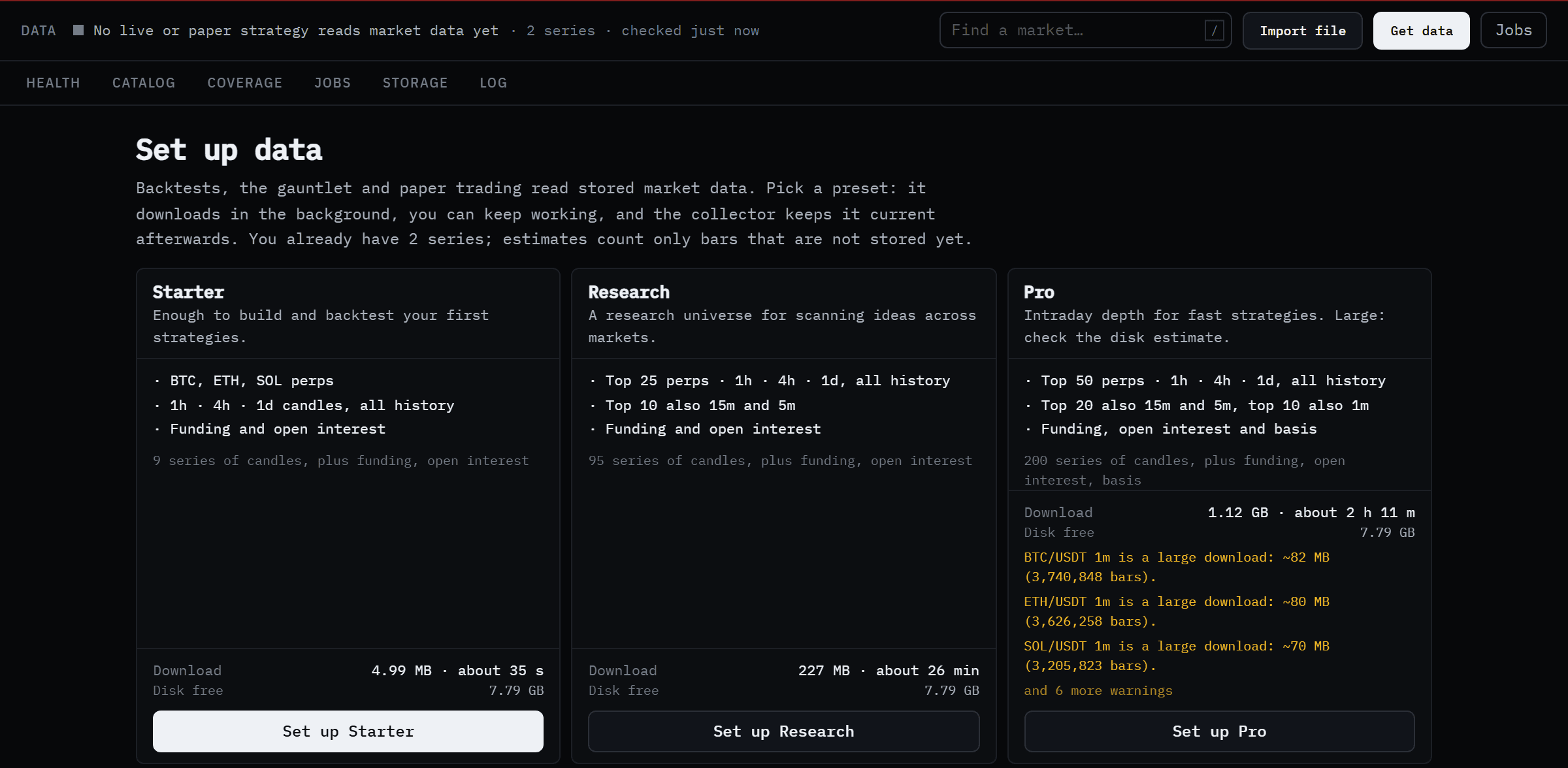 Starter is enough for every walkthrough. Research and Pro are for scanning ideas across many markets.
Click Set up Starter
Click Set up Starter. Forven queues one download job per series and confirms with Queued 9 downloads. You can leave the page — downloads run in the background.
Watch the jobs
The jobs button at the top right of every Data page now reads 2 running · 7 queued. Click it, or open the Jobs tab, to see each download with a progress bar, bars fetched and the time left.
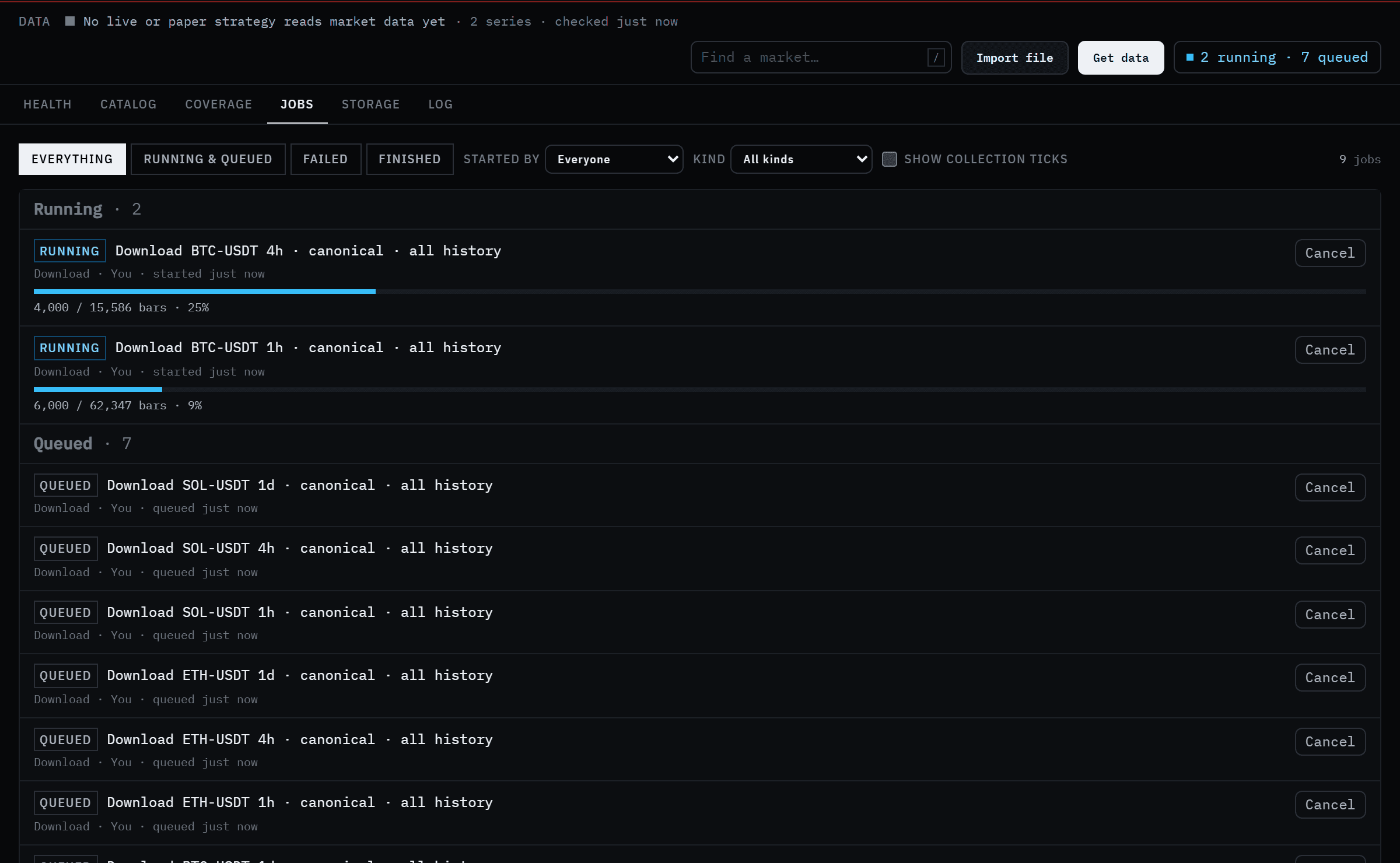 Each series is its own job. Cancel any of them, or retry one that failed.
If a job fails, its row says why in plain words — a rate limit, low disk space — and offers Retry.
Check what you have
When the jobs finish, open the Catalog tab. Every series is listed with its timeframe, how much history it holds, how complete it is and whether it is fresh.
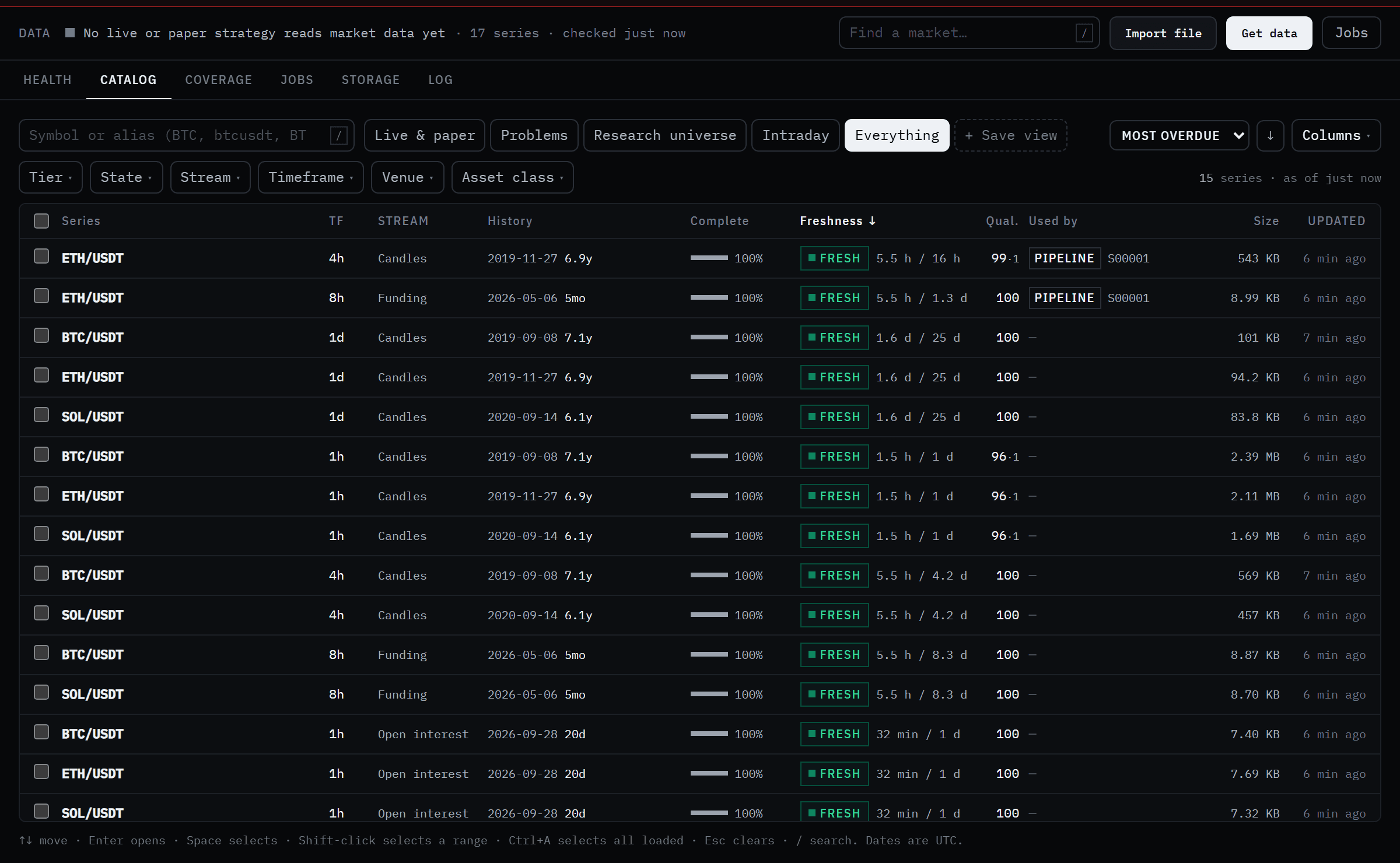 Six to seven years of history per market, 100% complete. FRESH means the collector has the latest bars.
The Health tab now shows tier cards instead of the empty state. Once a strategy trades on paper, its markets move to the Paper tier, which the collector keeps within two missed bars of real time.
Which exchange is this data from?
The research series every backtest reads is the Binance USD-M perpetual (or spot) series, labelled canonical. Data you download from another venue — OKX, Bybit, Hyperliquid and others under Get data → Where from — is stored as a separate venue series and never mixed into it.
What you have now
Nine candle series plus funding and open interest, complete back to each market's launch, and a collector that keeps them current.
Going further
- A specific market: Get data → A market searches every venue that lists it, estimates the download, and lets you pick timeframes and how much history.
- Your own file: Import file reads a CSV of bars, previews how it will be stored, and checks it against what you already have.
- Space: the Storage tab shows what each stream costs on disk, and deletes go to a trash you can restore from for 7 days.
See Data for every tab.
Next
1. First launch & setup
Start Forven for the first time, get through the setup wizard, and learn what every banner and button on the first screen means.
3. Build a strategy
Turn an idea into entry and exit rules in the Strategy Creator, read its in-sample and out-of-sample vitals, stress-test it, and save it — no code and no AI key.